
Tasks
Tasks are the individual actions that make up an order.
For example, an order might include tasks to package an item, collect it from a branch and deliver it to a customer.
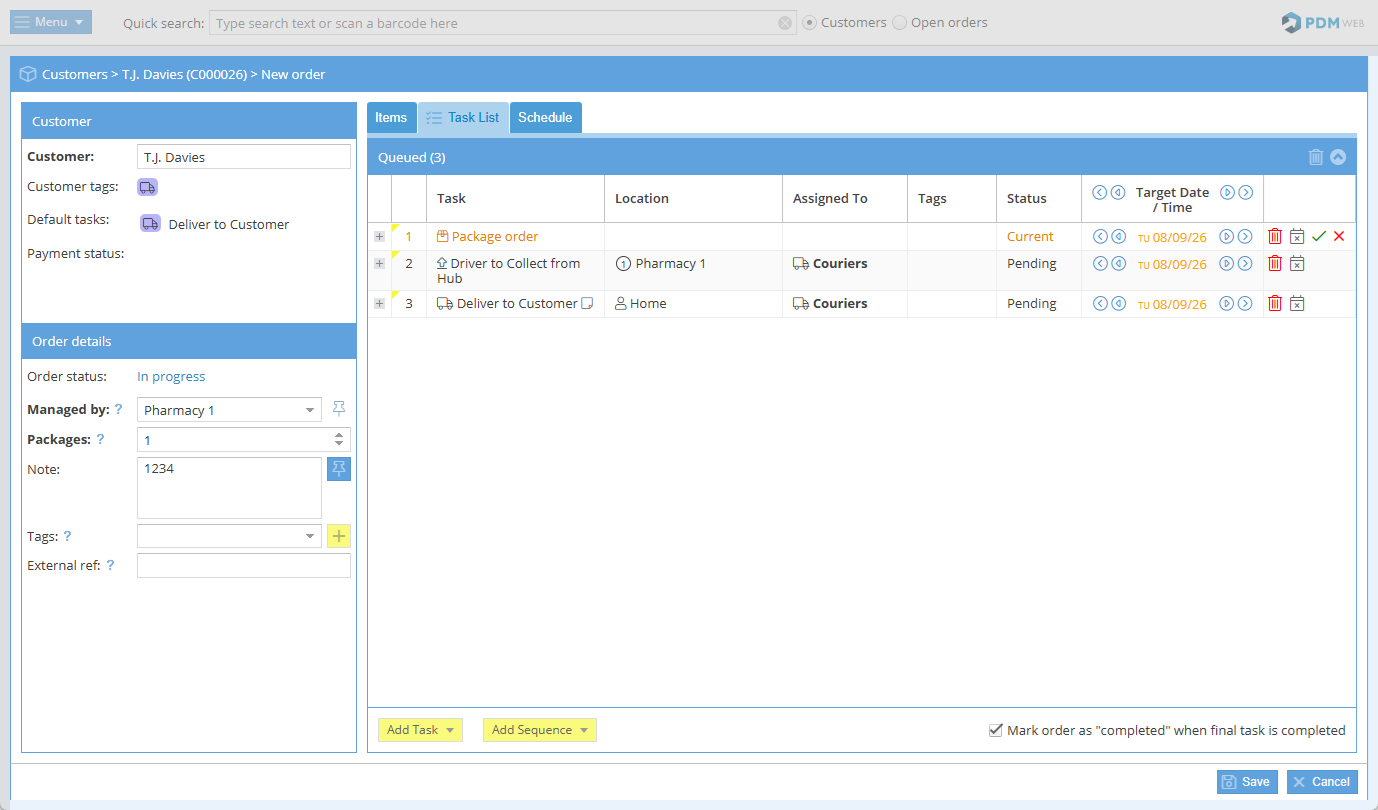
Each task can be tracked separately, allowing you to see its status and progress while keeping the full workflow together within the order.
Default Tasks
PDM includes a selection of default tasks covering common delivery and collection workflows. These can be used straight away or adapted to suit your organisation.
The default tasks are:
- Package order
- Collect from Branch
- Collect from Hub
- Deliver to Customer
- Deliver to Hub
- Deliver to Branch
- Customer to collect from Branch
- Customer to collect from Hub
- Collect from Customer
- Order reminder
Task Sequences
Task sequences group commonly used tasks together so they can be added to an order in one step.
For example, instead of adding Package order, Collect from Branch and Deliver to Customer individually, you can select the relevant Task Sequence and add the complete workflow in one step.
PDM includes a number of default task sequences to help you get started.
What can I do with Tasks?
Using tasks, you can:
- add individual workflow steps to an order
- group tasks together using task sequences
- update task statuses as work progresses
- modify tasks where required
- track completed, failed, cancelled and rescheduled activity
Customise your view
You can customise the Tasks grid to show the information that is most useful to you.
- Sort: Click a column heading to sort the data. Click again to reverse the order.
- Show or hide columns: Open the drop-down menu on a column heading and select Columns.
- Resize columns: Drag a column border, or double-click it to automatically fit the content.
- Move between pages: Use the controls at the bottom of the grid to move between pages.
- Refresh: Reload the latest data.
- Reset view: Restore the default grid layout.
- Clear filters: Remove all currently applied filters.
Tutorials
Use the tutorials below to learn more about managing tasks in PDM Web:
FAQs
- How quickly does the information sync with PDM Web for the branch/hub to see?
- How do I switch a delivery from one driver to another?
- How do I deal with "On Hold" orders?
- How are task ETA's calculated?