
Order Schedules Summary Report
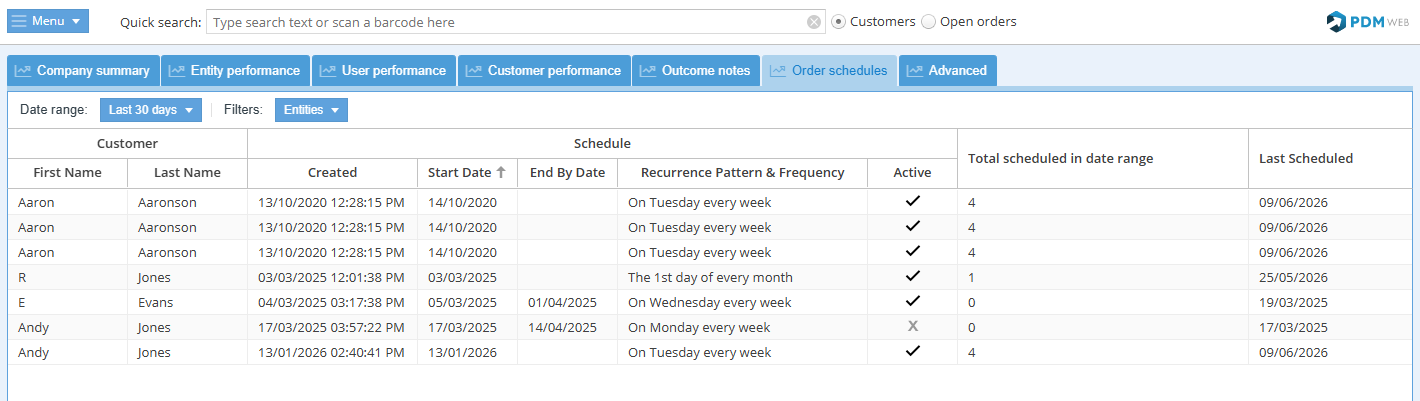
The order schedules summary report lists all customers that have repeat order schedules.
The columns show the start dates, end dates, recurrance frequency and the total number of orders scheduled within the date range selected.
The order schedule record can easily be opened by double-clicking on a row.
Report features
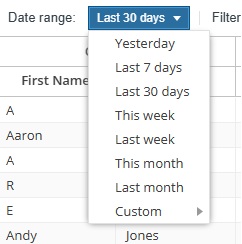
Choose the date range for the report with an easy preset or enter a custom range:
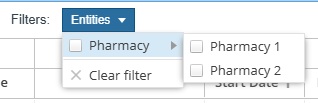
Choose which entities to show in the report:
The report includes schedule information such as:
- Start Date: The date the order schedule begins.
- End By Date: The date the order schedule ends, where applicable.
- Recurrence Pattern & Frequency: How often the order is scheduled to repeat.
- Active: Shows whether the order schedule is currently active.
- Total scheduled in date range: Shows how many scheduled orders fall within the selected date range.
- Last Scheduled Date: Shows the date of most recent scheduled order for the customer.
Export: 
Export the report in Excel format.