 Watch the Video
Importing Customers
If you already have customer information stored in a spreadsheet, you can save time by using the Import Customers tool.
If this option does not appear on the screen, please check with your Admin user to check you have the right permissions.
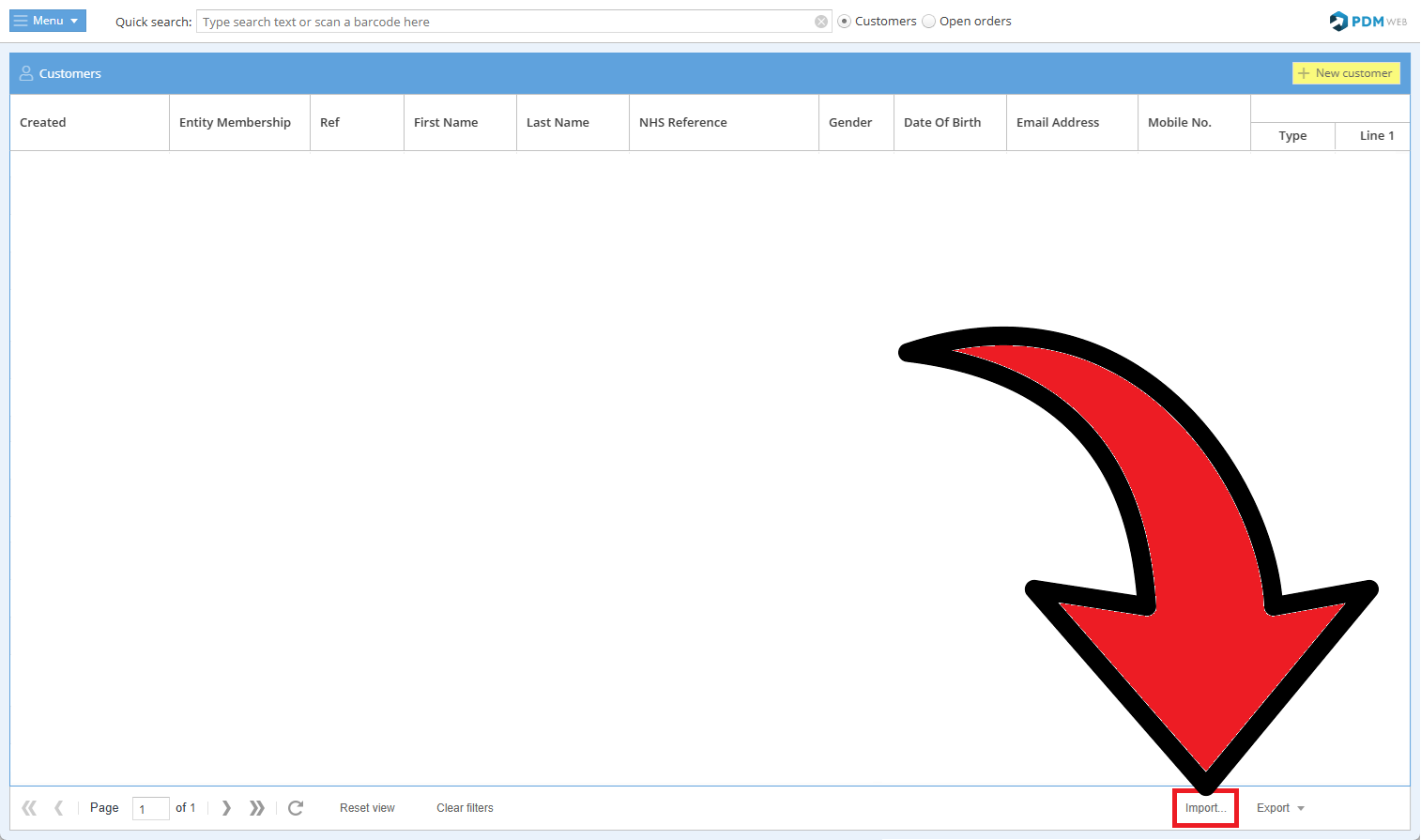
Go to the Customers module in the main menu and select Import Customers.
The first step is to select which entities you want to assign the customer information to and what the default address type will be.
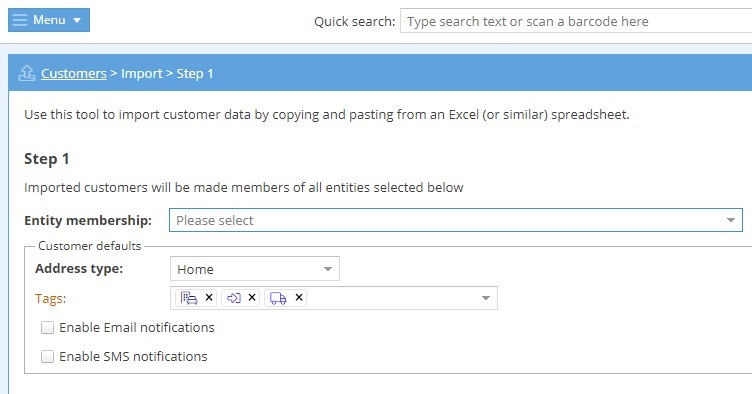
You can also choose which customer tags will apply to the imported customers. This means that all customers imported will have these default tags added to their record.
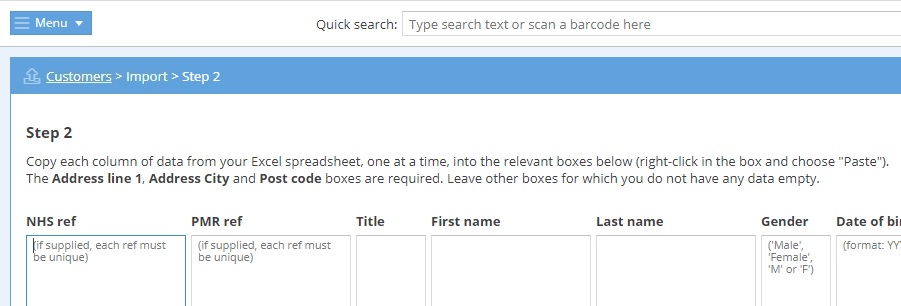
The second step is to copy the data from each column in your existing spreadsheet into the relevant PDM Web columns.
Finally, for the third step, you'll have the opportunity to review the data you've entered.
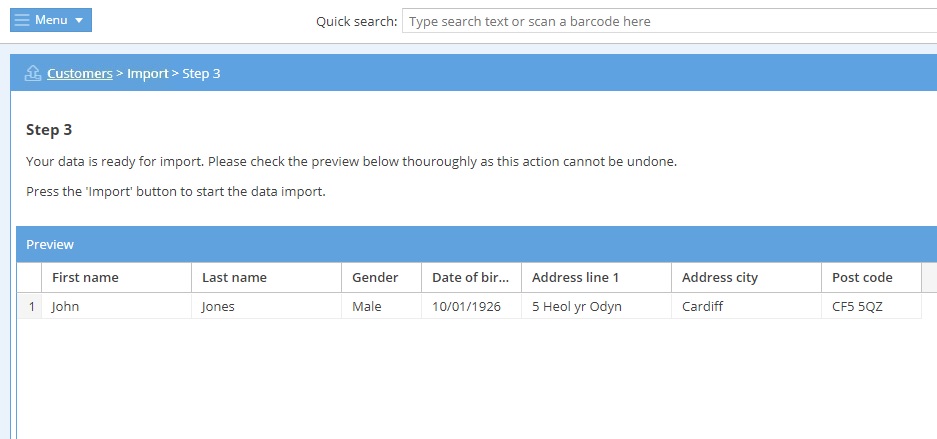
Once you're happy all the details are correct, click Import in the bottom right of the screen to add all the customer entries to your account.